
Welcome Comrades to the 109th edition of the Dispatch

This is anamainiacks here, bringing you the last issue of the CC Dispatch for 2013! Sorry about the delay once again - it seems that some of the Newsletter Executives were busy with chestnuts roasting on an open fire and Jack Frost nipping at their nose...
 Now, rather than bore you with any sort of rambling on my part and take more time away from the happy holidays you should be enjoying with your families, I shall get to the point and jump straight into it.
 Here's what we have on tap for you:
The first regular section is Mess Hall and Interrogation Room, which includes continued coverage of the Mafia scene, and an interview with DoomYoshi.
The Platoon Report covers all aspects of the Clan scene, including a CC4 update and the latest F400 rankings.
War Games has the scoop on the tournament world, including an interview with TO Nath77440, and the return of DaveH's Tournament Tips.
Cartographic Surveillance is your source for news from the map-making world, including updates on Maps in Development and a spotlight on one of the maps.
Finally, our Next Mission Brief includes such things as the closing credits and information on how to subscribe.
anamainiacks - Tournament Executive, Guest Publisher for Issue 109
And finally some late-breaking news:
Late-breaking News and Announcements
Spoiler
Here's what's new since the last issue of the Dispatch:
- The Entertainment Team (now known as the Community Team) once again brings us the end of year festivities to enjoy on CC through the Official Passport Challenge: Year in Review 2013. With so many great updates throughout the year, it's certainly something that calls for a celebration!
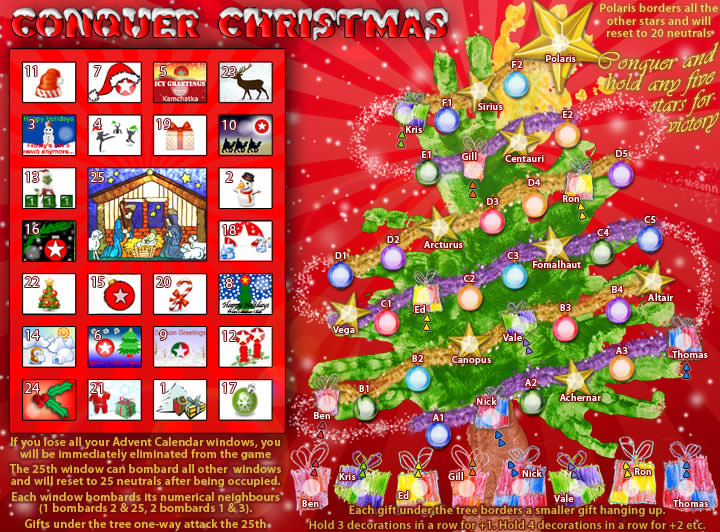
- The Christmas map is now open for play for a limited period of time, during this festive period. Go crazy on the tree!
- The Entertainment Team (now known as the Community Team) once again brings us the end of year festivities to enjoy on CC through the Official Passport Challenge: Year in Review 2013. With so many great updates throughout the year, it's certainly something that calls for a celebration!
- The Christmas map is now open for play for a limited period of time, during this festive period. Go crazy on the tree!
- Click image to enlarge.

If you would like to apply to join the news team, please visit the thread below for more details!
Click here for Recruitment Details...
.
.
.








 :
:




 But really, please play all of the maps in Beta, and be sure to post your thoughts for the map makers.