Fast posted by nole!nolefan5311 wrote:
These.
They can be found here:
http://www.conquerclub.com/forum/viewto ... 8&t=151232
If you still can't figure out how to put these on, ask koontz or isaiah, lol. I'm not a graphics guy


Moderator: Cartographers
Fast posted by nole!nolefan5311 wrote:
These.
They can be found here:
http://www.conquerclub.com/forum/viewto ... 8&t=151232
If you still can't figure out how to put these on, ask koontz or isaiah, lol. I'm not a graphics guy
You have to cut them up into singular colour 888s using the marquee tool and cut and paste.nolefan5311 wrote:...
If you still can't figure out how to put these on, ask koontz or isaiah, lol. I'm not a graphics guy



No need to change graphicsisaiah40 wrote:Okay, on the small, the Paris inset needs to be larger to get the 888's to fit in better. Don't worry about it going over the regions a bit, you have plenty of room. Also I think that the mini-map can be made a tad bigger as well. You have room, again it doesn't matter if it goes over the regions a little bit.
While true about the outer 888's, I wasn't looking at those, I was looking at the inner ones. So yes the inset needs to be made larger, not by much. Lancelot, those 888's in the outer regions of the inset do need to be removed as pamoa mentioned above, but please make the inset a little larger so the inner 888's fit in better so nothing will be covered up.pamoa wrote:No need to change graphicsisaiah40 wrote:Okay, on the small, the Paris inset needs to be larger to get the 888's to fit in better. Don't worry about it going over the regions a bit, you have plenty of room. Also I think that the mini-map can be made a tad bigger as well. You have room, again it doesn't matter if it goes over the regions a little bit.
the outer 888's are already on the main map
and you cannot have 2 army spots for the same territory
so please remove them on the minimap


This needs to be done especially on the small so that the bonus regions can be seen clearly. You may also want to make the text in the mini-map black as well for further clarity.isaiah40 wrote:Also I think that the mini-map can be made a tad bigger as well. You have room, again it doesn't matter if it goes over the regions a little bit.


You need to post the small map as well please. And please post the updated images on this page and the first post, it makes it easier for us to comment on instead of going between this current page and the first post.Lancelot du Lac wrote:Thank you for your advice and your patience
Update performed in the first topic.
This is a very good idea!!!RjBeals wrote:To keep the mountains from looking like clipart, try adding a shadow to the land. There's already a light direction on the mountains themselves, just add some dark areas to the ground beside them - see graphic. Also - nice map
Here are my latest graphic changes. They concern the shadows of the mountains. Now I can not make up because I have to do everything twice.RjBeals wrote:To keep the mountains from looking like clipart, try adding a shadow to the land. There's already a light direction on the mountains themselves, just add some dark areas to the ground beside them - see graphic. Also - nice map
Last updates :isaiah40 wrote: You need to post the small map as well please. And please post the updated images on this page and the first post, it makes it easier for us to comment on instead of going between this current page and the first post.
Please get the changes done so we can get this moved on into the Final Forge!!



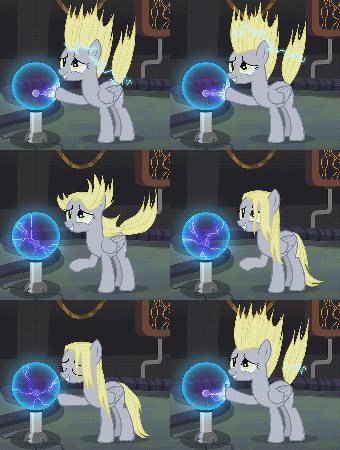


If you look closely, you will notice that they are not the same. In addition, the graph of the mountains has been validated.RedBaron0 wrote: The mountain in the center are all identical, the shadow is also a bit too dark, but it isn't as dramatic as the ones in the Alps.
Someone has already started working on the xml to avoid losing too much time?Mishalex wrote:Isiah, did you advanced on the xml?